How to Use IVG Smart Max (Lock, Boost Mode and Settings Guide)


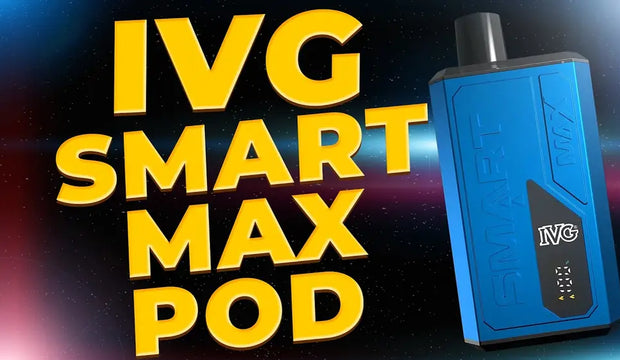
The IVG Smart Max is one of the more capable replacement prefilled pod kits in IVG's lineup, sitting above the straightforward draw-and-go Pro 12 by adding dual output modes and a compact LED display. If you have just picked one up and want to know how everything works, including what the device can and cannot do, this guide covers it all.
- What Is the IVG Smart Max?
- How to Set Up the IVG Smart Max for the First Time
- Boost Mode vs Eco Mode: What Is the Difference?
- How to Switch Between Boost Mode and Eco Mode
- Can You Lock the IVG Smart Max?
- How to Read the LED Display
- How to Charge the IVG Smart Max
- When to Replace the Pod
- Explore the Full IVG Range at Vaping 101
- Quick Comparison
- Frequently Asked Questions

What Is the IVG Smart Max?
The IVG Smart Max is a rechargeable prefilled pod kit that delivers up to 10,000 puffs per pod set using IVG's 2ml pod and 10ml auto-refill container system. It is powered by a 1000mAh battery, uses 20mg nic salt e-liquid, and features two output modes that give you control over how the device performs. It is draw-activated, meaning there is no fire button needed to vape. The onboard LED display shows battery level and e-liquid status, keeping you informed without any guesswork.

How to Set Up the IVG Smart Max for the First Time
Getting started is quick. Here is what to do before your first vape:
- Charge the device first. Connect the USB-C cable to the port at the base of the IVG Smart Max and charge until the LED display shows a full battery. This ensures consistent output from the start.
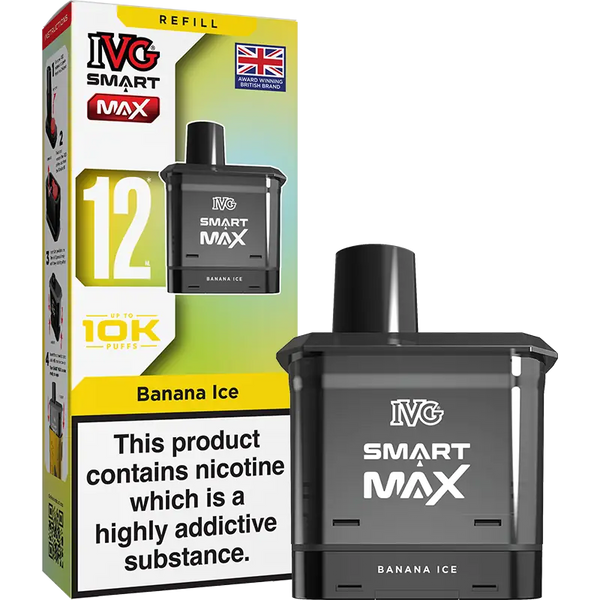
- Prepare the pod set. Take an IVG Smart Max replacement pod from the packaging. You will find a 2ml prefilled pod and a 10ml refill container together.
- Click the pod into the refill container. Align the two components and press together until they click securely into place.
- Insert the pod set into the device. Slide it into the top of the Smart Max until it is fully seated.
- Select your output mode. Press the button on the device to choose between Boost Mode and Eco Mode before your first draw.
- Start vaping. The Smart Max is draw-activated. Inhale through the mouthpiece and the device fires automatically.
Boost Mode vs Eco Mode: What Is the Difference?
Output modesThe two output modes are the main feature that sets the Smart Max apart from simpler prefilled kits, and understanding how they differ helps you get the most from the device.
Eco Mode runs at a lower output, which extends battery life and slows e-liquid consumption across the pod. Flavour is still clean and consistent but delivered at a more measured intensity. This is the better option for all-day use when you want your charge and your pod to last as long as possible. Eco Mode is also where you will get closest to the full 10,000 puff count advertised for the device.
Boost Mode increases the output power, which produces more vapour and a more intense flavour hit with each draw. The trade-off is that it draws more power from the battery and depletes the e-liquid faster. Boost Mode is best reserved for when you want a stronger hit rather than running the device on it permanently.

How to Switch Between Boost Mode and Eco Mode
To switch between Boost and Eco mode on the IVG Smart Max Pro, take three quick draws in succession. The device will then change mode automatically, with the LED display updating to show the current setting. There is no side button or complicated menu to use, making it quick and simple to swap between performance modes while vaping.

Can You Lock the IVG Smart Max?
This is one of the most common questions about this device, and it is worth being clear: the IVG Smart Max replacement prefilled pod does not have a lock function. There is no button combination or setting that locks or disables the device. The only button on the Smart Max is used to switch between Boost and Eco Mode.
If you are concerned about accidental activation while the device is in a pocket or bag, the most practical solution is to remove the pod before storing it. Without the pod inserted, the device will not fire even if the airflow inlet is covered.

How to Read the LED Display
The Smart Max's LED display gives you two key pieces of information at a glance: battery level and e-liquid level. Battery is shown as a bar or percentage indicator, while the e-liquid level reflects how much liquid remains in the refill container. When either level drops critically low, the display will alert you before the device stops working. Keeping an eye on both indicators is the easiest way to avoid dry hits and a flat battery mid-session.

How to Charge the IVG Smart Max
Here is how to charge the device correctly:
- Locate the USB-C port at the base of the Smart Max.
- Connect a USB-C cable and plug the other end into a mains adapter or laptop.
- Monitor the LED display as it shows the battery level increasing during charging.
- Disconnect once fully charged. Do not leave the device charging unattended for extended periods.
The 1000mAh battery is rated to last a full day for most vapers under regular use. Running the device in Boost Mode consistently will reduce that between charges.

When to Replace the Pod
When the 10ml refill container is empty, the pod set needs replacing. The LED display will show a low e-liquid warning before the container runs out completely. At that point, remove the empty pod and container from the device, click a fresh pod into a new refill container, and reinsert it following the same setup steps above.
The Smart Max is compatible exclusively with IVG Smart Max replacement pods, available in over 20 flavours including Blue Raspberry Ice, Strawberry Ice, Mango Peach, Kiwi Passionfruit Guava, and Pink Lemonade.
The full IVG Smart Max replacement prefilled pods range is designed for simple plug-and-play vaping with no refilling or coil changes required.
Explore the Full IVG Range at Vaping 101
The Smart Max is part of a wider IVG collection at Vaping 101 that covers everything from beginner-friendly starter kits to high-puff devices. All IVG products are sourced directly from the brand and fully TPD-compliant.
IVG Pro Vape Pod Kit
Quick Comparison
| Product / feature | What it is | Best for | Format | Device detail | Shop |
|---|---|---|---|---|---|
| IVG Smart Max | Rechargeable prefilled pod kit | Boost and Eco Mode control | 2ml pod + 10ml refill container | 1000mAh battery / up to 10,000 puffs | Smart Max |
| Smart Max replacement pods | Replacement pod set | Replacing empty pod and container | 2ml pod + 10ml refill container | 20mg nic salt | Replacement pods |
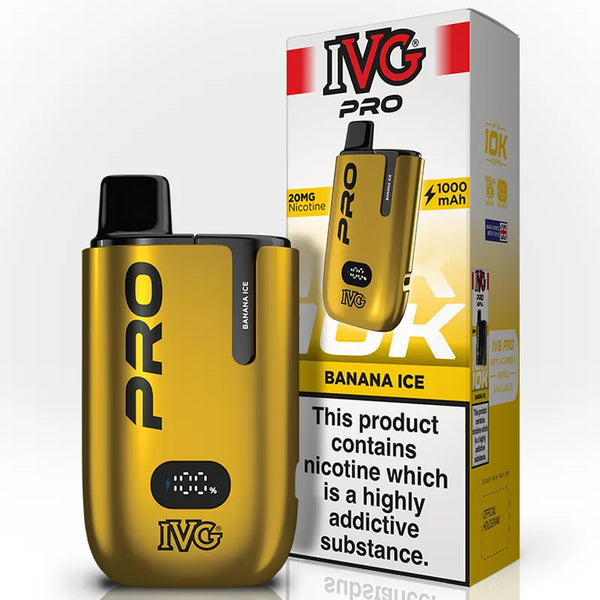
| IVG Pro 12 | Simpler draw-and-go IVG kit | Straightforward prefilled vaping | Prefilled pod kit | Beginner-friendly option | Pro 12 |
| IVG | Full IVG collection | Browsing IVG kits and pods | Kits and pods | IVG range | IVG |
Frequently Asked Questions
The IVG Smart Max is a rechargeable prefilled pod kit that delivers up to 10,000 puffs per pod set using IVG's 2ml pod and 10ml auto-refill container system.
Charge the device first, prepare the pod set, click the pod into the refill container, insert the pod set into the device, select Boost Mode or Eco Mode, then inhale through the mouthpiece to vape.
Eco Mode runs at a lower output to extend battery life and slow e-liquid consumption. Boost Mode increases output power for more vapour and a stronger flavour hit, but uses battery and e-liquid faster.
No. The IVG Smart Max replacement prefilled pod does not have a lock function. The only button on the Smart Max is used to switch between Boost and Eco Mode.
Replace the pod set when the 10ml refill container is empty or when the LED display shows a low e-liquid warning. The Smart Max is compatible exclusively with IVG Smart Max replacement pods.